Google Enhances Workspace Applications with Advanced Gemini AI Integration
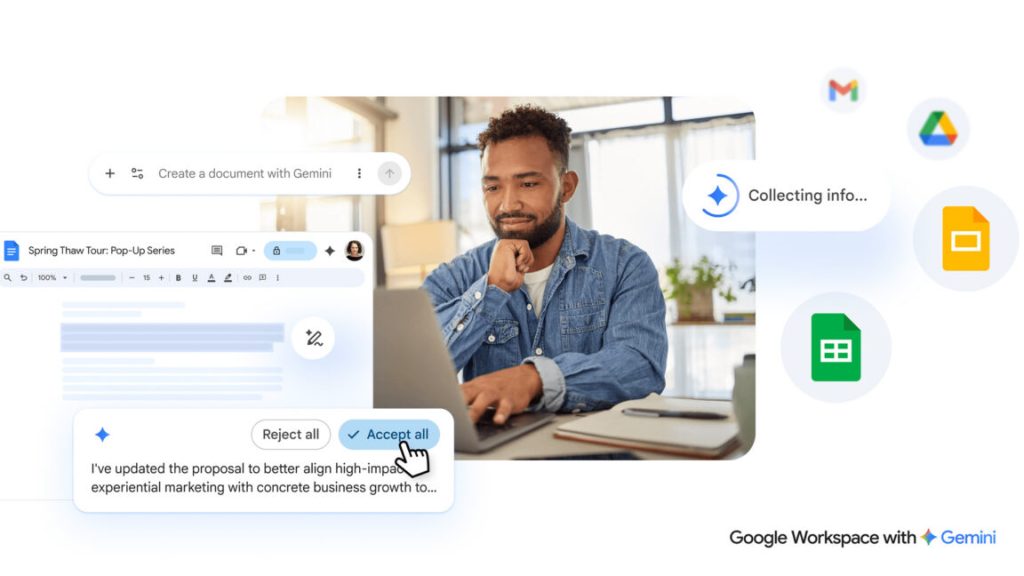
Google has announced significant improvements to its artificial intelligence capabilities across Workspace applications, introducing enhanced Gemini features designed to streamline document creation and editing processes. The tech giant is positioning these updates as solutions to eliminate the challenge of starting with blank documents by leveraging AI to handle initial content generation and refinement tasks.
The updated system introduces a redesigned interface for Google Docs that places AI-powered tools prominently within new documents. Users will encounter a chatbot-style text input field at the bottom of fresh documents, enabling them to describe their desired content and receive instant draft generation. The AI system can incorporate information from various Google services, including Gmail messages, existing documents, Google Chat conversations, and web-based sources.
Beyond initial document creation, the enhanced Gemini integration offers sophisticated editing capabilities. Users can provide additional instructions to modify document formatting and structure, or select specific text sections for targeted revisions. The system also includes AI-powered style matching functionality, particularly beneficial for collaborative editing scenarios involving multiple contributors. Google emphasizes that all AI-generated suggestions remain private until users explicitly approve their implementation.
Spreadsheet Intelligence Advances
Google Sheets receives substantial AI enhancements, with the company claiming that Gemini’s spreadsheet capabilities now approach human-level performance in recent evaluations. The updated system allows users to describe their spreadsheet requirements through a sidebar interface, prompting the AI to generate appropriate layouts using specified data sources. Additionally, Gemini can reportedly identify and fill data gaps by conducting web searches for missing information.
The improvements address previous limitations in spreadsheet layout handling, with Google asserting that the revamped system can manage tasks ranging from basic data entry to sophisticated analytical operations.
Presentation Tools Expansion
Google Slides benefits from new Gemini functionality, though the rollout will occur in phases. The current implementation enables AI-generated slide creation from text prompts, incorporating content from users’ files and email communications when authorized. The system also supports slide modification and redesign based on user feedback.
Future updates will expand capabilities to include complete presentation generation from single prompts, though this functionality will not be available during the initial deployment phase.
Enhanced File Discovery
The Workspace search experience receives AI-powered improvements that extend beyond individual applications. The search functionality will rely more heavily on artificial intelligence to locate relevant files, presenting results with AI Overview summaries at the top of search pages. These summaries provide condensed information from the most pertinent documents, complete with source citations.
New ‘Ask Gemini’ buttons throughout the interface enable users to pose detailed questions about document collections or search results. The AI responses can be exported to new documents for further development and editing using additional Gemini tools.
Availability and Access
These enhanced Workspace features will initially launch for Google AI Ultra and Pro subscription tiers. The Docs, Slides, and Sheets improvements will deploy gradually throughout the spring season globally, with initial support limited to English language content. Drive search enhancements will also arrive in the coming months, beginning with United States users before expanding to other regions.
Users who prefer to avoid AI integration can disable ‘Smart Features’ within Workspace settings, though this action also removes other automated functionalities such as Gmail package tracking and calendar event extraction from email messages.